

Connecting to Zenoti
Overview
Zenoti provides an all-in-one, cloud-based software solution for the spa, salon and med spa industry. You can use skyData’s built-in connector for importing data from Zenoti. skyData collects, analyzes, and provides a solution to transform data into meaningful information for generating valuable insights.Prerequisite
You will need the following details to allow skyData access to your Zenoti account:- API Key
- URL
To add Zenoti connector
Follow the below steps to create a new dataflow for the Zenoti import connector:- Go to Dataflow > Imports.
- Click New dataflow.
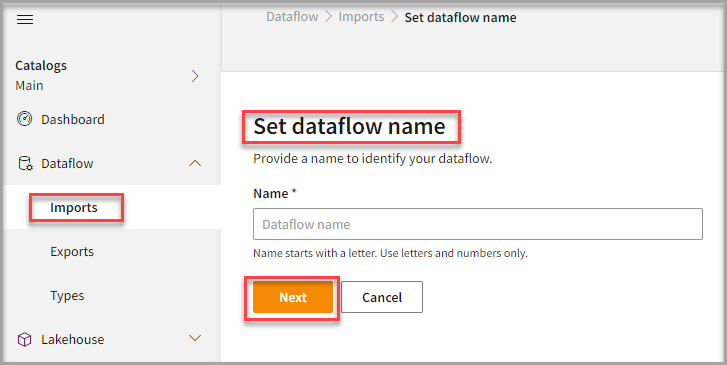
- In the Set dataflow name page, type Dataflow name in the Name text area.
- Click Next.
To choose Zenoti connector
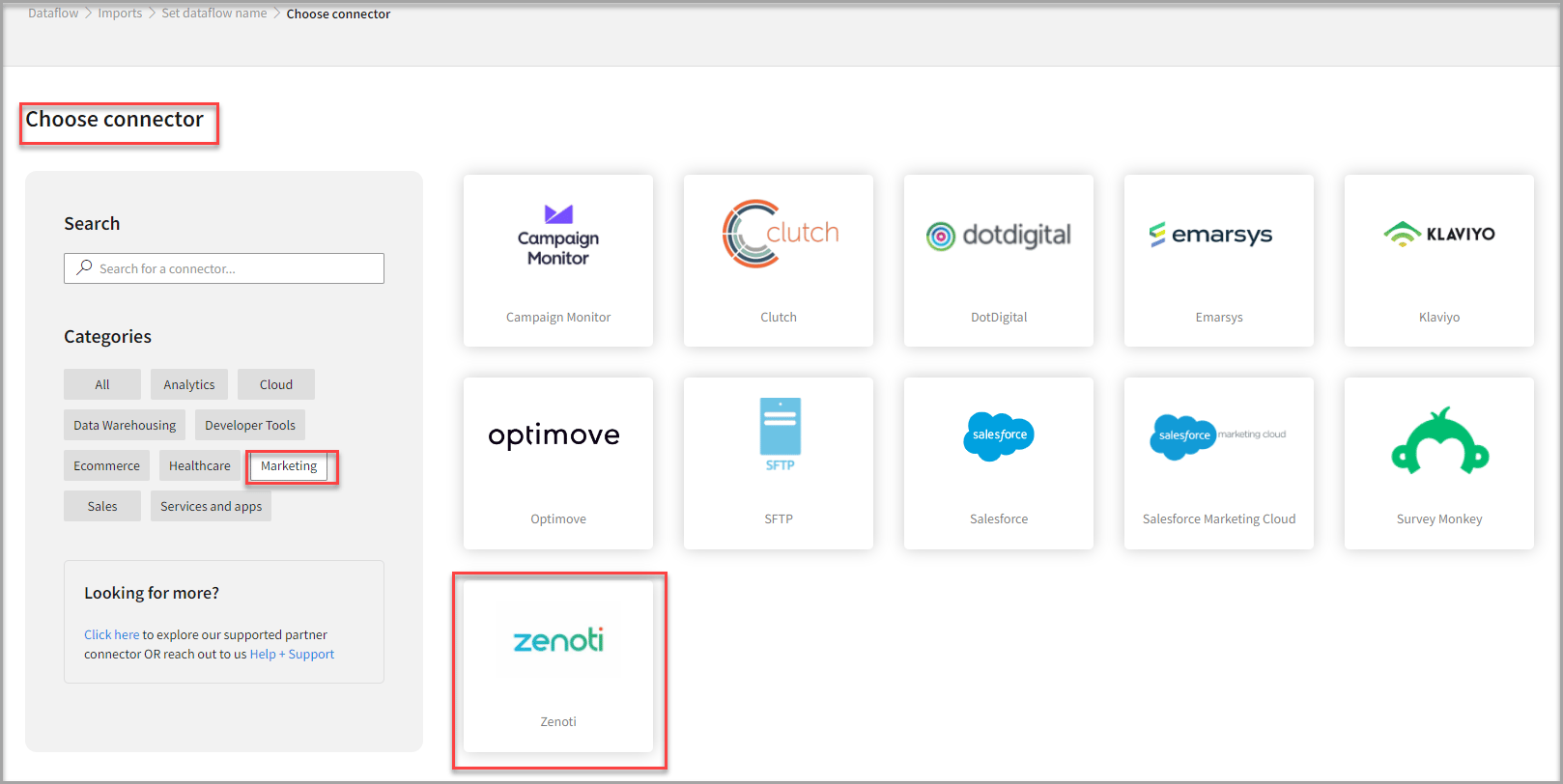
- In the Choose connector page, select Zenoti connector.
Use the Search feature to find the connector. The Zenoti connector is also available in the Marketing category.
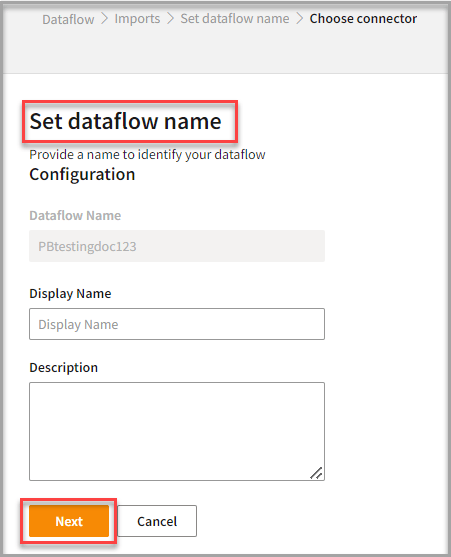
- Enter Display Name for your dataflow in the text area.
- Enter Description for your dataflow in the text area.
- Click Next.
To configure Zenoti
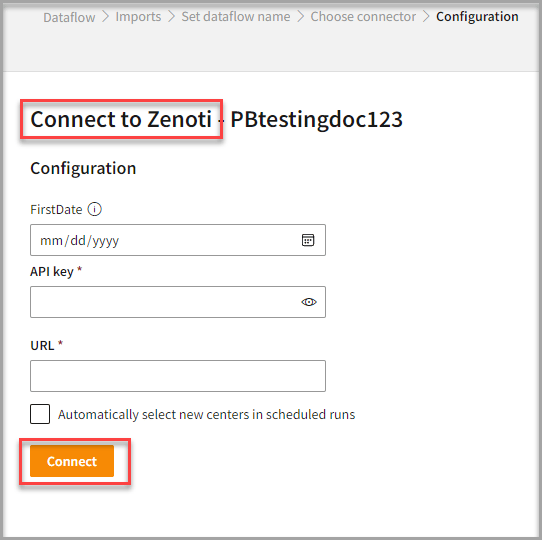
Follow the below steps to configure the connection to Zenoti:- Select FirstDate to specify the date after which the data for appointments, collections, and sales will be retrieved.
- Enter your credentials such as API Key, and URL to configure with Zenoti.
- Click Connect.
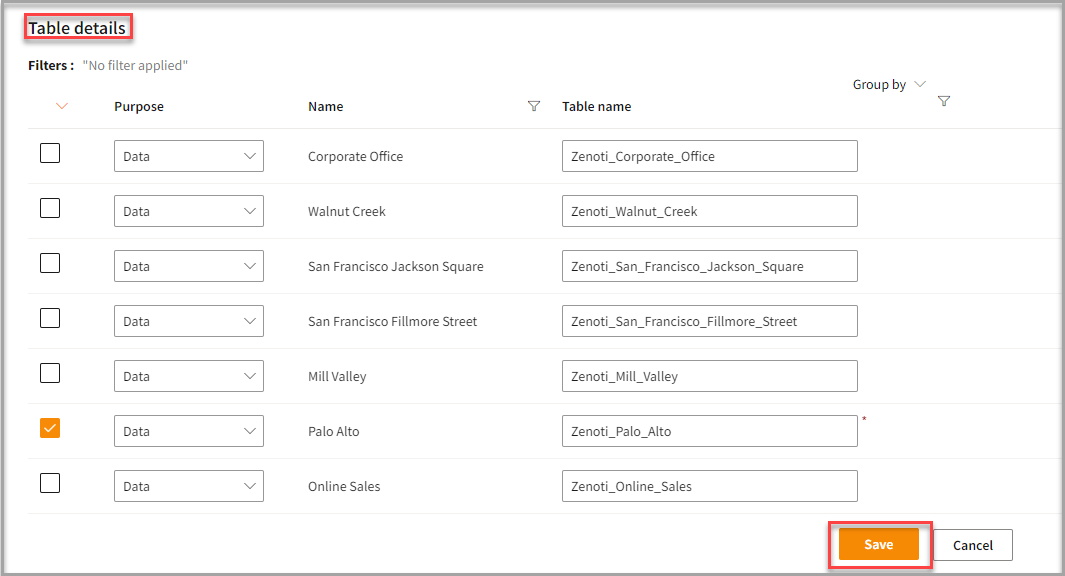
- Enter the Table Details to process the data.
- Click Save.
Run, edit, and delete the imported data
Once you save the connector, the Zenoti connector gets displayed in the list of tables created in the Dataflow page.- Select the horizontal ellipsis in the Actions column and do the following: