

Connecting to Boulevard
Import data
Overview
Boulevard is an intelligent scheduling solution and comprehensive point of sale system that increases revenue and lowers costs for salons, spas, and other appointment-based businesses. You can use skyData’s built-in connector for importing data from Boulevard. skyData collects, analyzes, and provides a solution to transform data into meaningful information for generating valuable insights.Prerequisite
You will need the following details to configure and import data:- API Key
- API Secret
- URL
- Business Id
Import Data using Boulevard connector
Follow the below steps to create a new dataflow for the Boulevard connector:- Go to Dataflow > Imports.
- Click New dataflow.
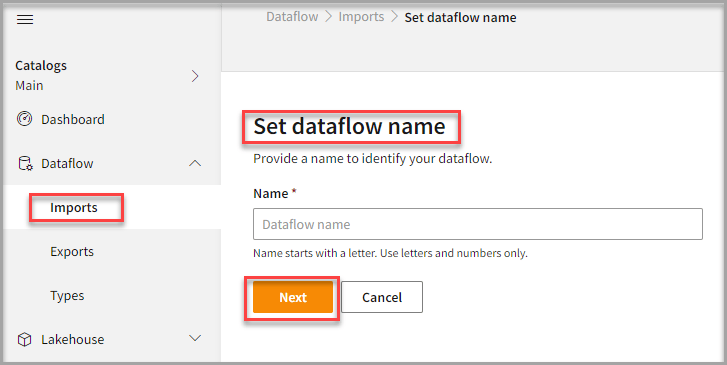
- In the Set dataflow name page, enter Dataflow name in the Name text area.
- Click Next.
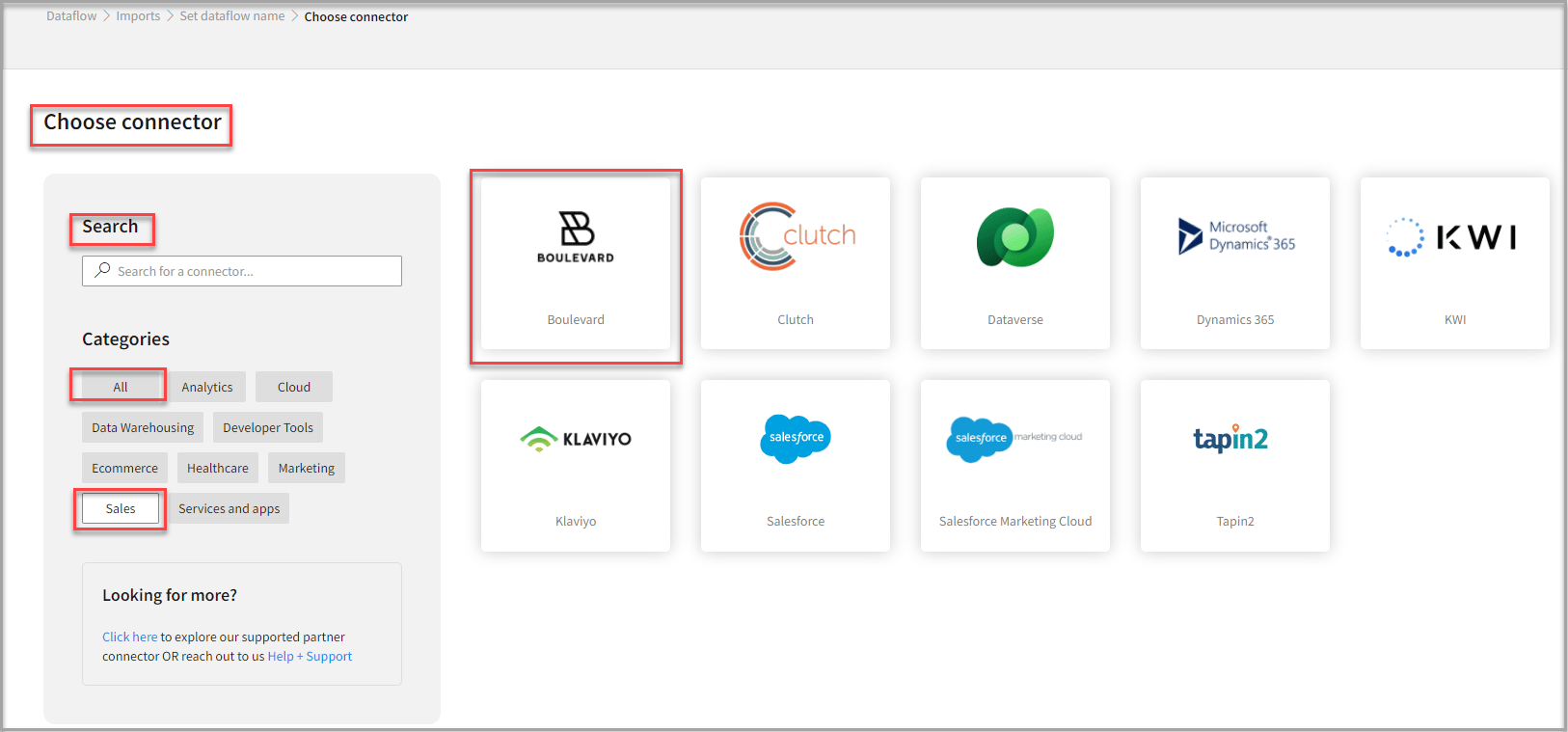
To add Boulevard connector
- In the Choose connector page, select Boulevard connector.
You can use the Search feature too to find the connector. Also, the Boulevard connector can be found under Sales categories.
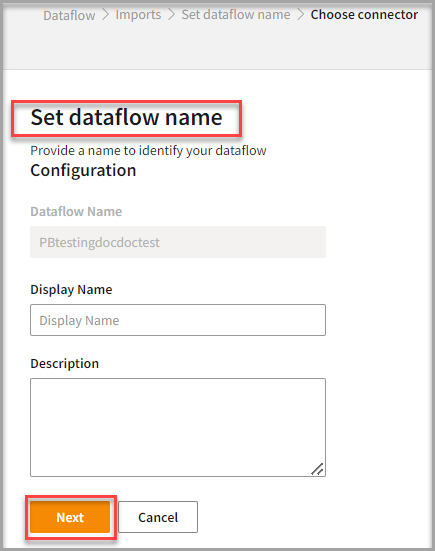
- Enter the Display Name to identify your Dataflow.
- In the Description box, you can enter an explanation of the connector.
- Click Next.
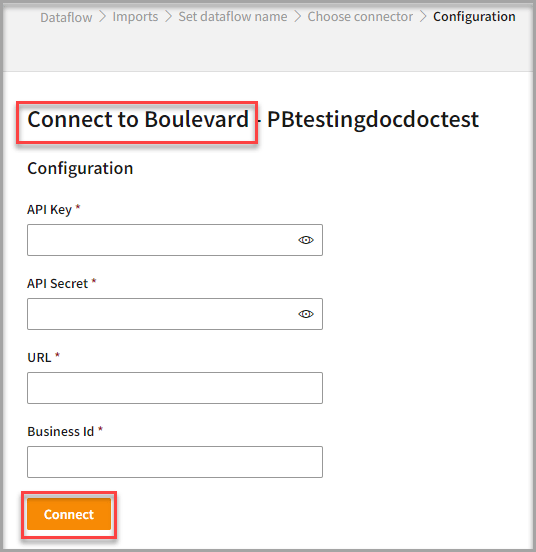
To configure Boulevard
Follow the below steps to configure the connection to Boulevard:- Enter your credentials such as API Key, API Secret, URL, and Business Id to configure with the Boulevard connector.
- Click Connect.
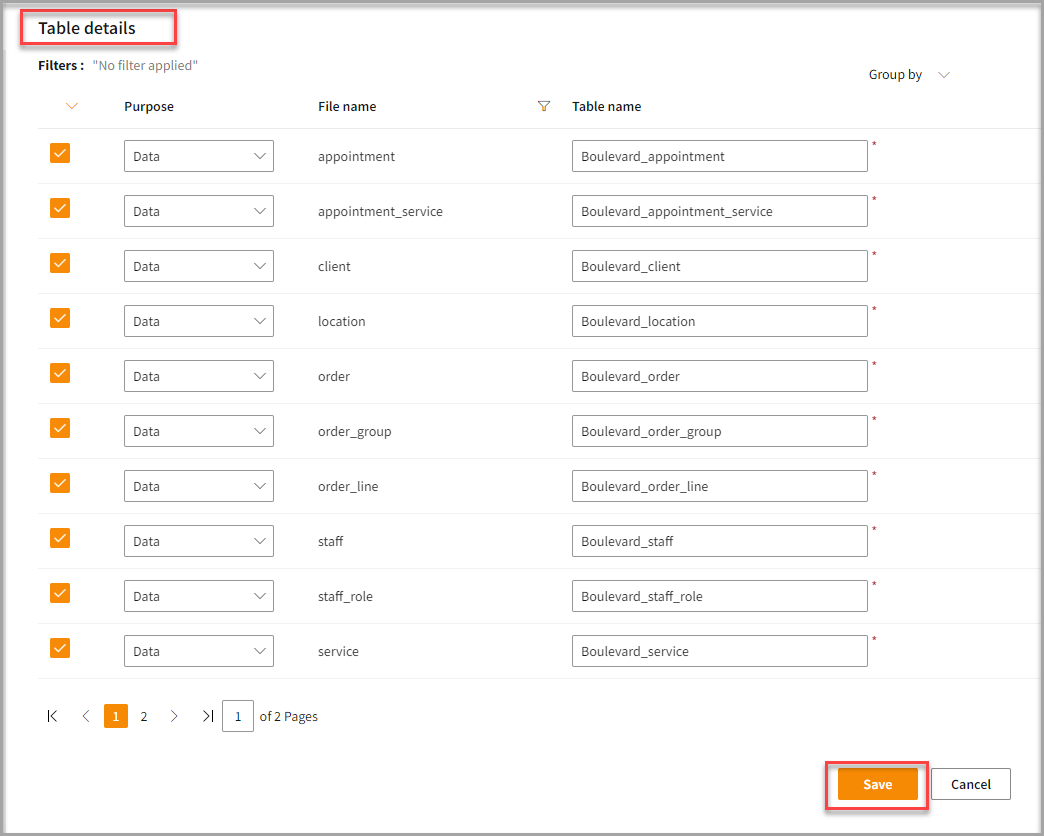
- Enter the Table Details to process the data.
- Click Save.
Run, edit, and delete the imported data
Once you save the connector, the Boulevard connector gets displayed in the list of tables created in the Dataflow page.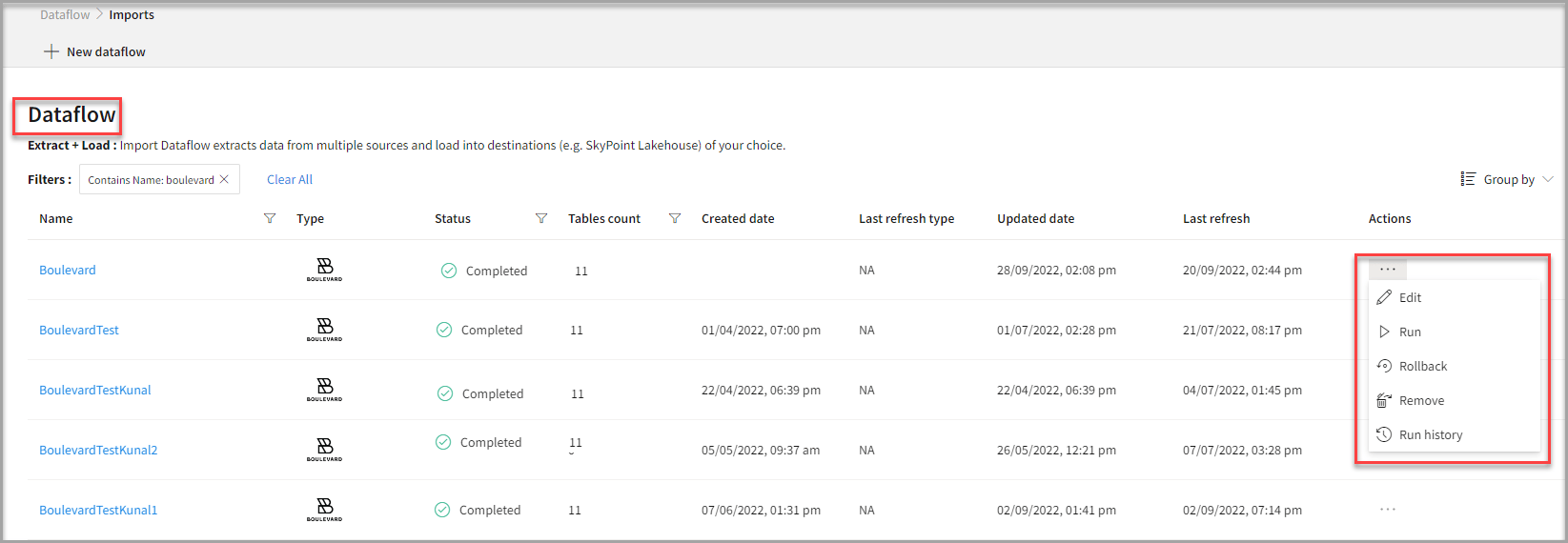
- Select the horizontal ellipsis in the Actions column and do the following:
Next step
After completing the data import, start the Master Data Management (MDM) - Stitch process to develop a unified view of your customers.ERD
