

Creating and managing the Split indexer
Overview
After the Master Data Management (MDM) - Resolve process, you can create a complete profile to gain more insights about your master data. skyData allows you to define the index for the master data. You can select the attributes to create the index for searching and filtering on the profiles page. The Split indexer helps you to find information about the specific profile or group of profiles quickly.Prerequisite
You must have completed the data ingestion and unification process.To create a Split indexer
- In the left pane, go to Master Data > Profiles.
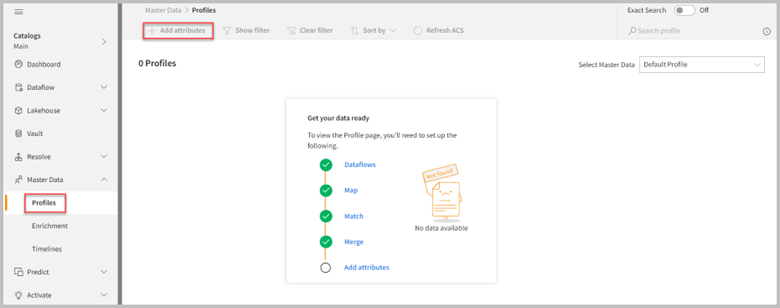
When the merge process is completed for the first time and a user navigates to the profiles page, the application will display a 0 Profiles indicating “Add attributes” is due for search and filter indexing.
- Click Add attributes.
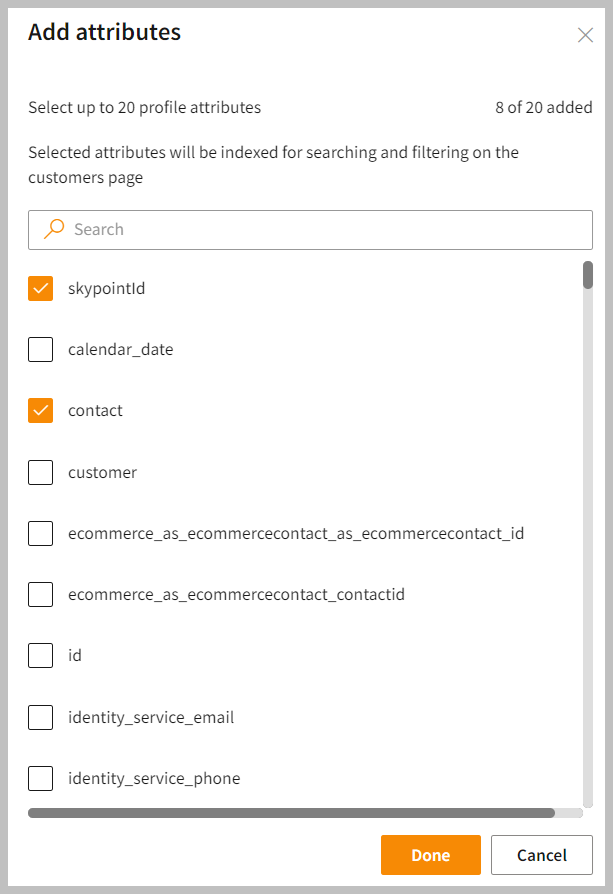
- On the Add attributes page, select the attributes that you want to display on the Profiles page.
The Add attributes page shows those attributes that you have added during the Resolve > Map process. You can select up to 20 profile attributes. If you wish to add or remove the attributes on the profiles page, you can do it by selecting or deselecting the attributes respectively. However, if you want to remove the attributes from the upstream process, go to Resolve > Map and remove the attribute from the table.
- Do one of the following:
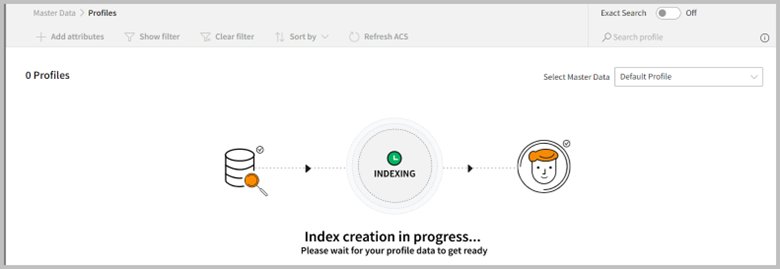
- Once you click Done, the indexing process will start.
View profiles
- After the successful run of the Index creation, you can view profiles in widgets on the home page. You can search and filter profiles based on the attributes that are selected. This allows you to quickly access specific information and gain valuable insights into your customers, enabling you to make informed decisions and improve customer engagement.
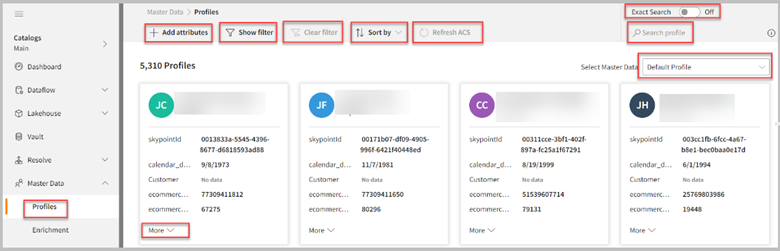
- To edit the list of attributes and modify the Split indexer, click Add attributes, remove or add the attributes, and then select Done to apply your changes. It loads selected attributes into the system and displays them on the profiles page. You can select and update for each master data profiles page.