Square SetUp Guide
Overview
This document will help you gather credentials for connecting Square with Skypoint MDSP.
Prerequisite
You must have an active Square account.
To find your App
Below steps will guide you navigate on Square Developer Dashboard:
- Log in to your Square account.
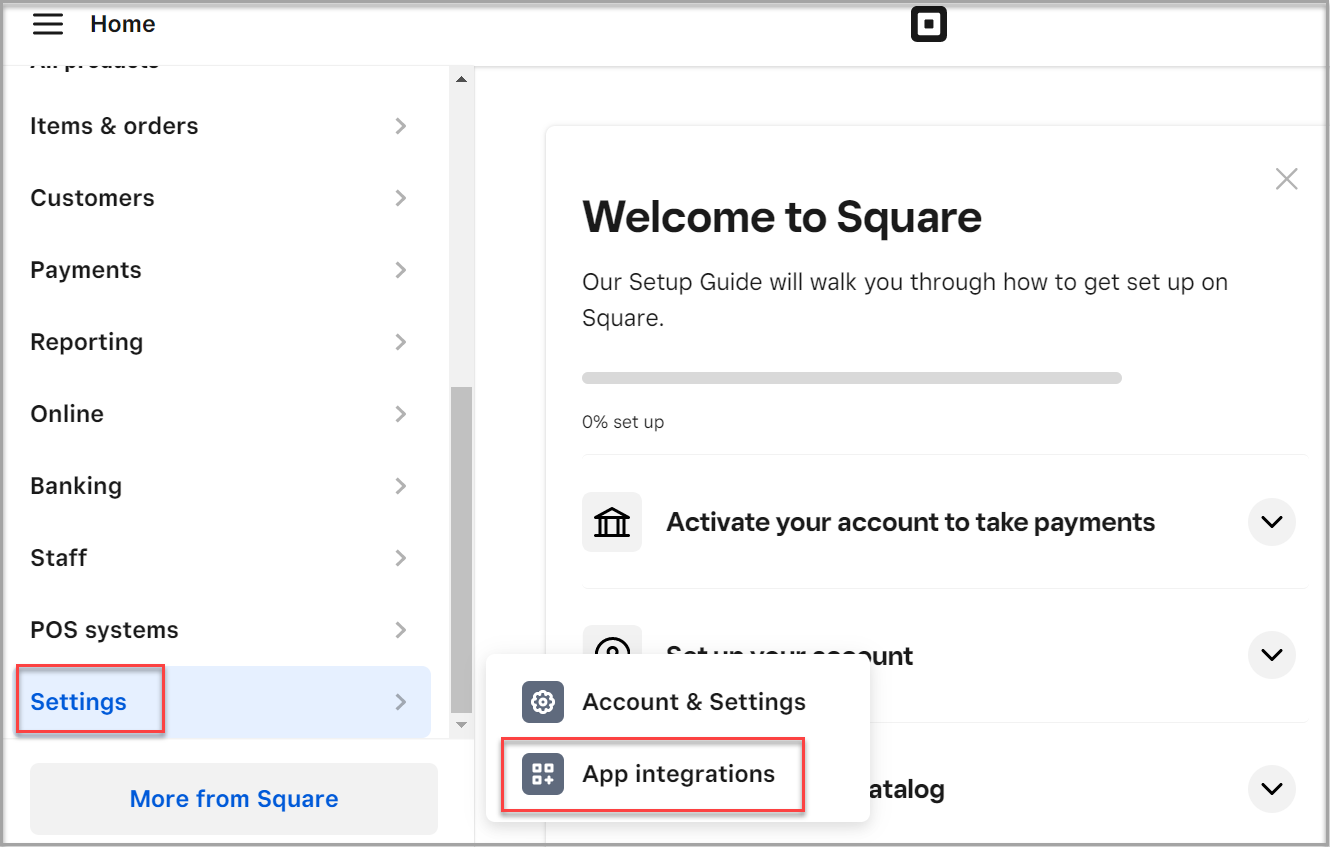
- Scroll down the All products list.
- Go to Settings > App integrations.
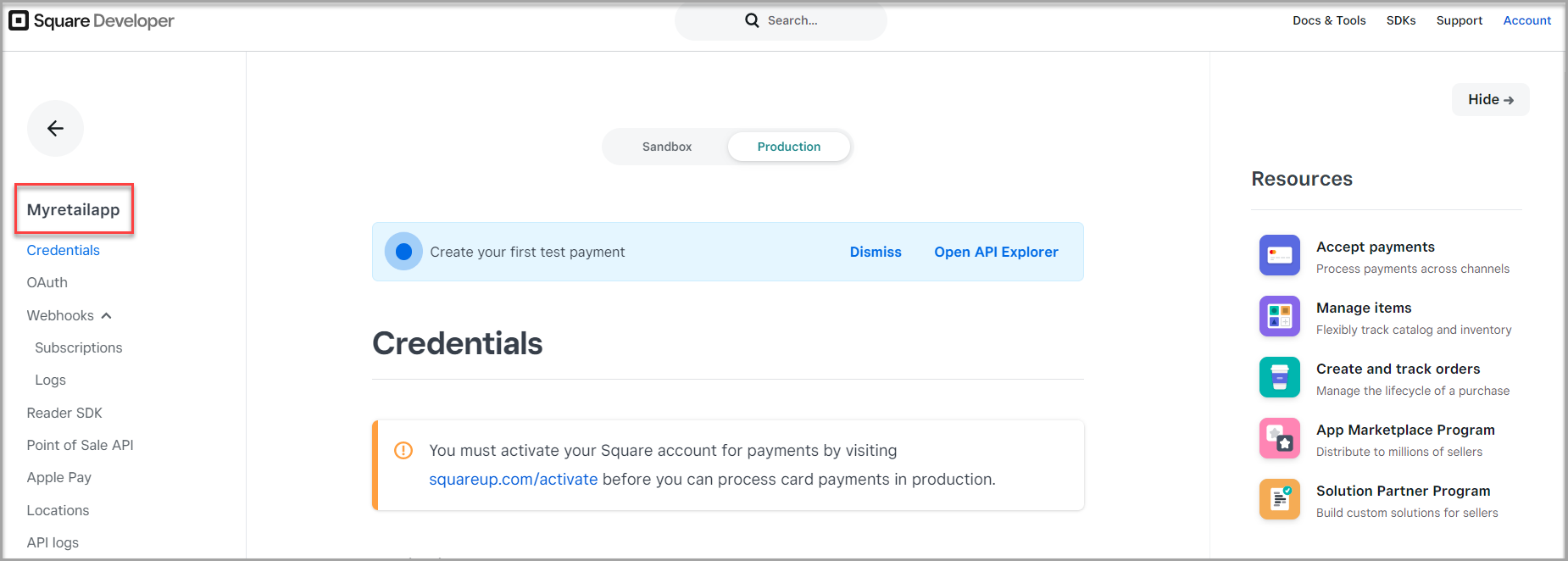
- Click Manage in My Applications page.

The Application page appears.
Finding the API key
- Click Credentials in the application list.
- Click Show on Access token text area to find the API key.
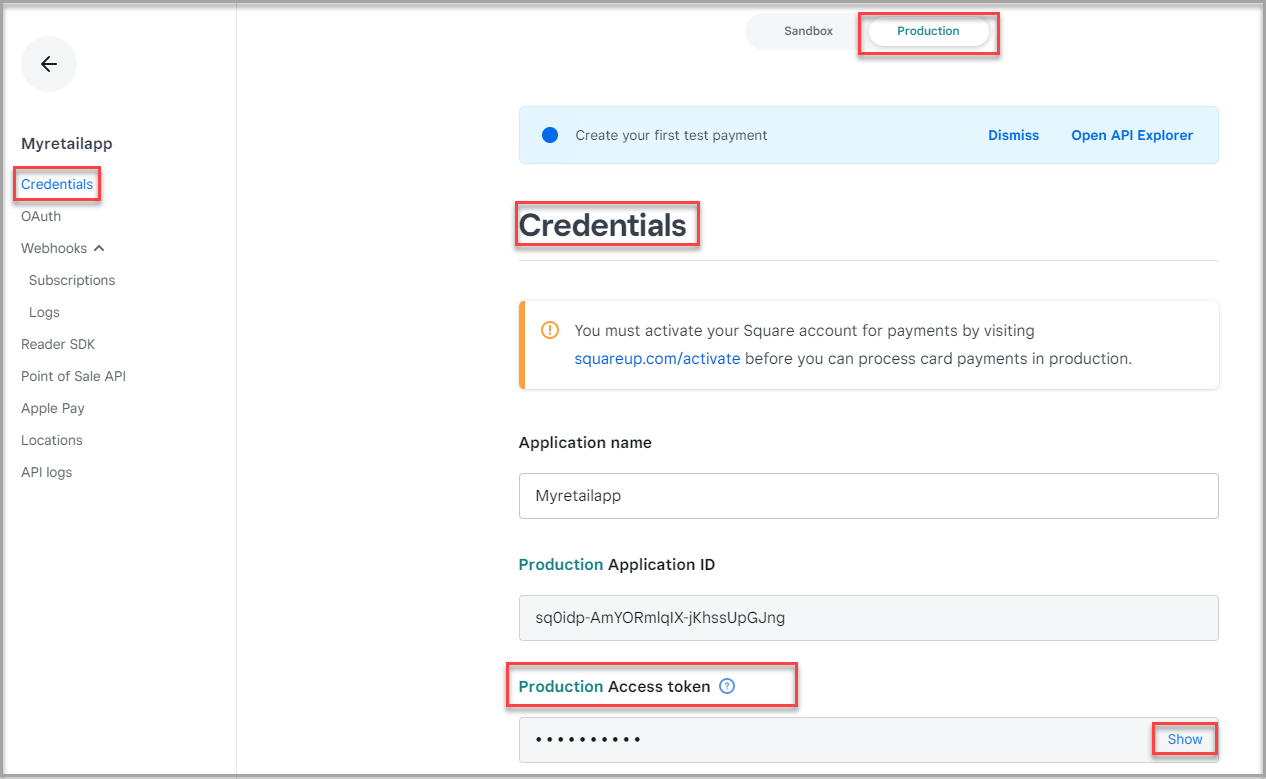
❕ Note: Personal Access Token provides access to your entire Square information. It should be kept confidential.
Locating the URL
- Go to Application page > OAuth.
- Enter https://connect.squareup.com in the Redirect URL text area.
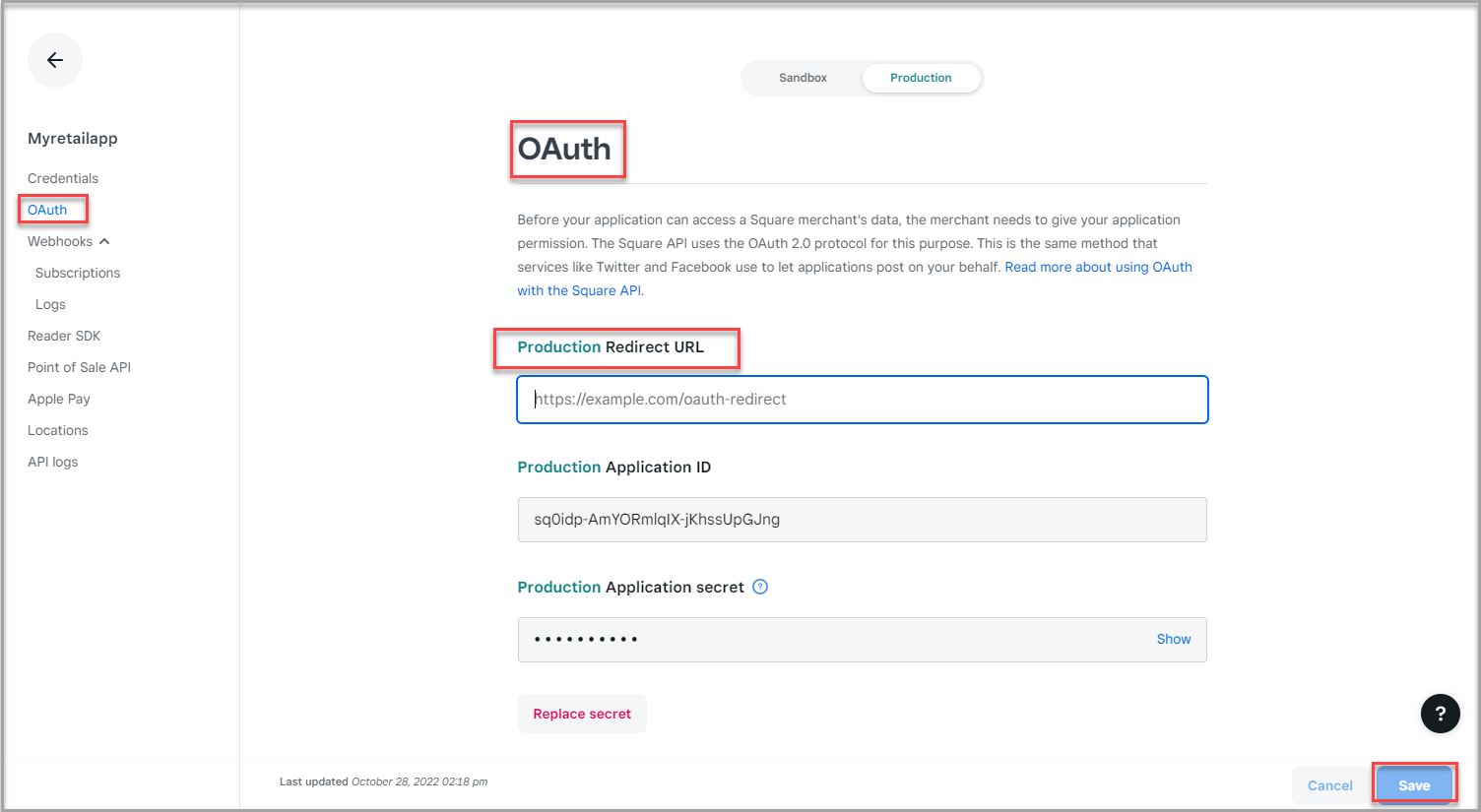
- Click Save.