Azure Blob Storage SetUp Guide
Overview
This document will help you gather all credentials for connecting Azure Blob Storage with Skypoint MDSP.
Prerequisite
You must have an Azure account.
To Create a Storage Account
Follow the below steps to create a storage account:
- Log in to Microsoft Azure.
- Go to Azure services > Storage accounts.
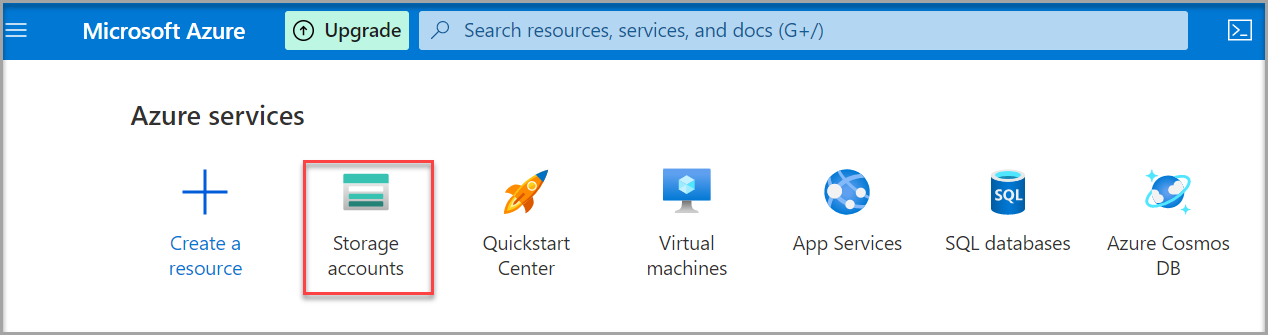
- Click Create.
Creating Storage account name
- Go to Create a storage account > Basics.
- Fill the information to create a new Storage account.
- Type a desired Storage account name in the text area.
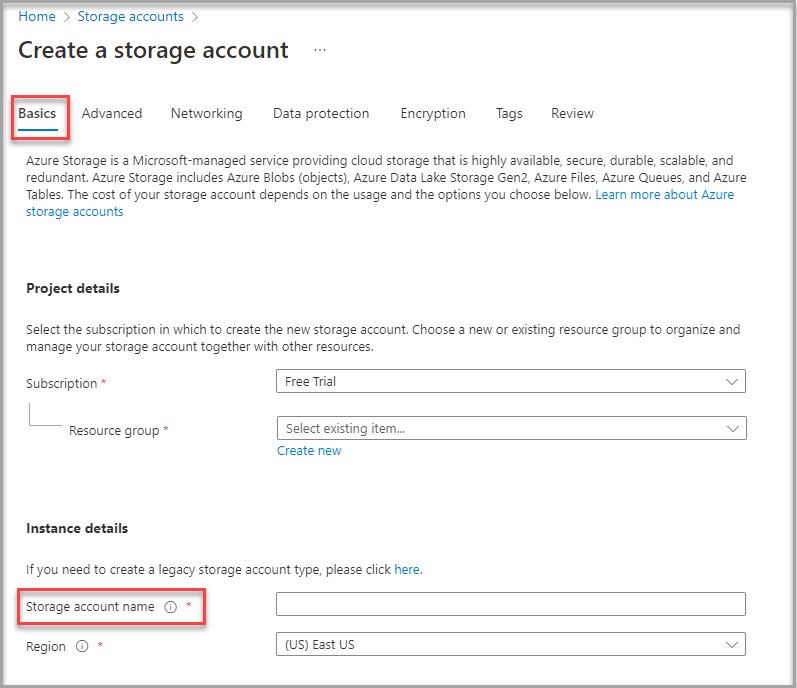
❕ Note: The name must be unique across all existing storage account names in Azure. It must be 3 to 24 characters long and can contain only lowercase letters and numbers.
Finding the Account Key
Follow the below steps to find the account key for your storage account:
- Go to Storage account > Access Key.
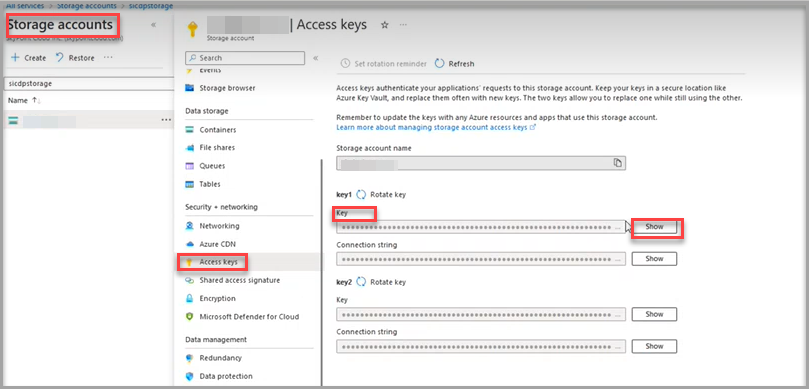
- Click Show for the Key text area.
❕ Note: Copy this Key and paste it in the Account Key text area of your Skypoint’s Azure Blob Storage configuration form.